

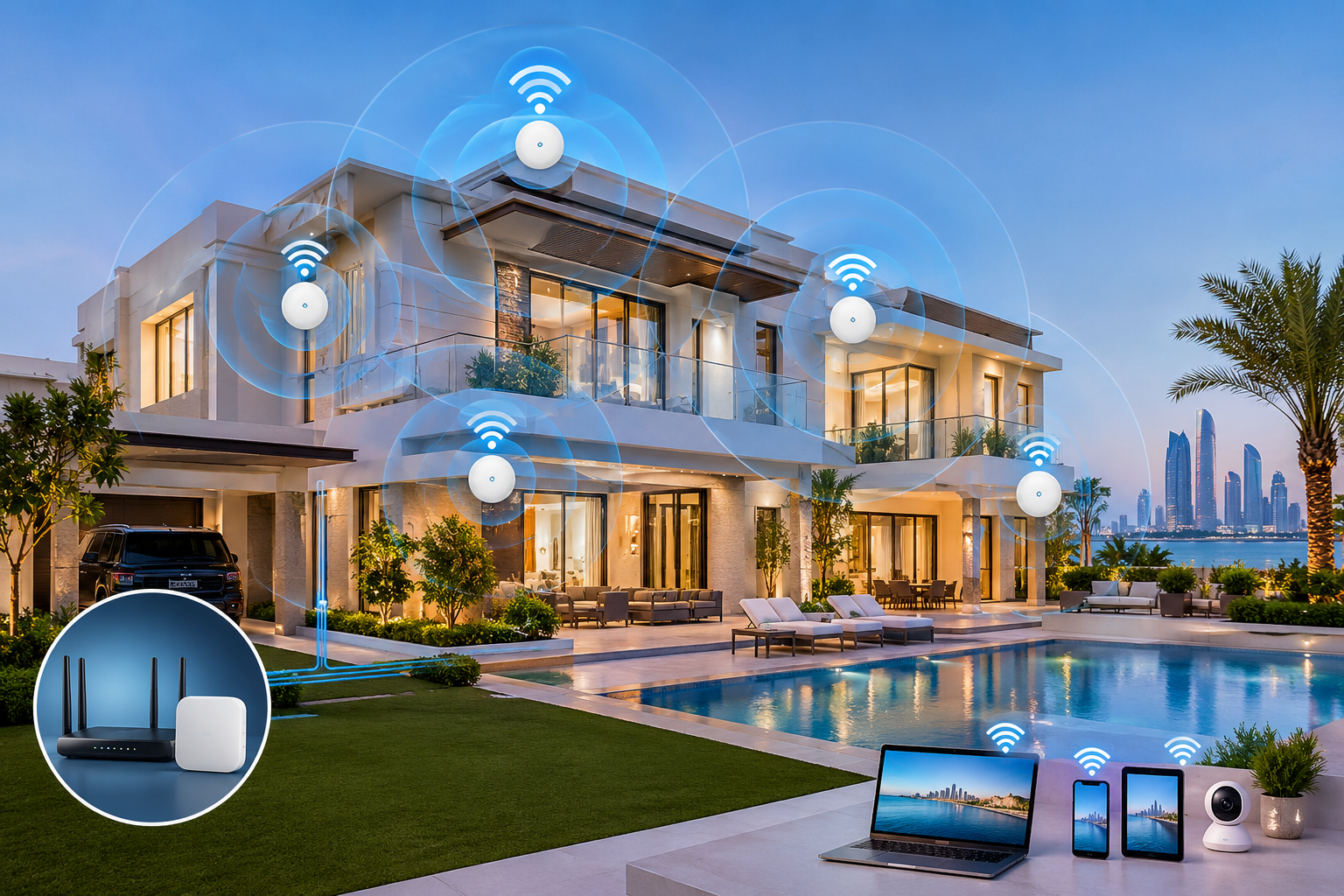
Whole-Home Wi-Fi and Network Installation for Large Villas in Abu Dhabi
A Wi-Fi connection that works well in the living room may struggle to reach the bedrooms, upper floors, garden, or entertainment areas of a large villa. Video calls can freeze in a home office, streaming devices may buffer, and smart home equipment can become unreliable when the network has not been planned properly.
These problems are not always caused by a slow internet package. In larger properties, the real issue may be Wi-Fi coverage, building materials, access point placement, network congestion, or the way devices connect to the router.
Quick answer: Home Automation villa in Abu Dhabi starts with a network plan based on the property’s layout, internet requirements, and connected devices. A strong setup may combine structured Ethernet cabling, strategically placed Wi-Fi access points, a suitable router, and network switches. The system should be tested in the rooms and outdoor areas where connectivity matters not just beside the router.
Whether you are building a new villa, renovating an existing property, or upgrading an unreliable home network, this guide explains how to plan a dependable installation that supports everyday internet use and smart home technology.
What Is Whole-Home Wi-Fi and Network Installation?
Whole-home Wi-Fi and network installation involves designing and setting up the equipment needed to provide dependable connectivity throughout a property.
A typical installation may include:
- Router or gateway: Connects the home network to the internet service.
- Wi-Fi access points: Provide wireless coverage in different parts of the villa.
- Ethernet cabling: Creates wired connections for access points, televisions, computers, and other suitable devices.
- Network switches: Connect multiple wired devices and, where supported, supply power to access points using Power over Ethernet (PoE).
- Network cabinet and patch panel: Keep equipment and cabling organised in a suitable central location.
- Configuration and testing: Set up network names, security, device connections, and coverage checks.
The exact equipment depends on the villa’s size, construction, number of users, internet package, and intended uses.
The goal is not simply to maximise the number of Wi-Fi bars displayed on a phone. It is to deliver the coverage, capacity, stability, and security needed for the way the household actually uses the network.
Why large villas need a different Wi-Fi and Network Installation plan
A large villa has different networking challenges from an apartment or smaller home. The router supplied by an internet provider may be sufficient for a compact property, but it may not deliver consistent coverage across multiple floors and separate living areas.
Distance and building materials
Wi-Fi signals weaken as they travel through a property. Concrete walls, reinforced floors, metal structures, mirrors, and some insulated building materials can reduce signal strength or interfere with coverage.
A router placed in a utility room or at one end of the villa may leave distant bedrooms and upper floors with a weak connection. Adding more internet bandwidth will not necessarily fix this: the issue may be the wireless network inside the property.
Multiple floors and separate zones
Large villas may include formal lounges, family rooms, bedrooms, offices, staff areas, garages, terraces, and landscaped outdoor spaces. Each zone may have different connectivity needs.
For example, a home office may need stable video calls, while a family room may have several simultaneous streaming devices. A terrace may require outdoor-rated networking equipment or a suitable access point positioned to provide coverage outside.
Many connected devices
Phones, laptops, televisions, gaming consoles, security cameras, smart speakers, lighting controllers, and other connected equipment all place demands on the network.
A well-designed network accounts for both coverage and capacity. A signal that reaches a room does not automatically mean the network can handle every device using it at the same time.
Wi-Fi access points, mesh Wi-Fi, and routers
Choosing the right network architecture is one of the most important decisions in a villa installation.
A single router
A single router is straightforward to set up and may work well in a smaller property with an open layout. In a large villa, however, its location can limit coverage.
If the router is hidden in a cabinet, surrounded by equipment, or installed far from the rooms that need connectivity, performance may suffer.
Mesh Wi-Fi
Mesh Wi-Fi uses multiple nodes to extend wireless coverage. Depending on the system, nodes coordinate to provide a more consistent network across the property.
Mesh can be useful where installing new cables is difficult. However, wireless connections between nodes can consume some of the available wireless capacity, and performance depends on the distance and obstacles between them.
Where supported, a wired backhaul—an Ethernet connection between mesh nodes—can improve consistency and reduce dependence on wireless links between nodes.
Dedicated Wi-Fi access points
For many large villas, a router combined with multiple strategically placed access points connected through Ethernet is worth considering.
This design allows access points to be placed closer to the rooms they serve without relying entirely on wireless links between devices. A network controller or coordinated system may help manage settings and roaming, depending on the equipment selected.
The best choice depends on the villa and its existing cabling. A professional site assessment should determine whether a wired access point design, mesh system, or combination is most suitable.
Why wired Ethernet matters
Wi-Fi is convenient, but it does not need to carry every connection in the home. Wired Ethernet can provide a dependable foundation for devices that stay in one place.
Consider wired connections for:
- Desktop computers and home office equipment.
- Smart televisions and media systems.
- Gaming consoles and dedicated entertainment equipment.
- Wi-Fi access points.
- Network video recorders and compatible security equipment.
- Network storage and other high-bandwidth devices.
Wiring stationary devices can reduce the number of devices competing for wireless capacity. It can also make troubleshooting easier because each wired connection can be tested separately.
Plan structured cabling early
If a villa is under construction or undergoing renovation, discuss structured cabling before walls and ceilings are closed. This is often the easiest stage to run cables to bedrooms, living areas, ceiling-mounted access points, offices, and entertainment spaces.
For a new installation, the network designer should consider:
- Cable routes and suitable cable categories for the planned network.
- Central equipment location, ventilation, and service access.
- Patch panels and clear labelling at both ends of each cable.
- Appropriate separation from electrical wiring, following applicable requirements.
- Spare cabling or pathways where future expansion is likely.
- Power and backup requirements for essential network equipment.
The installer should test and document cable runs rather than assuming that a cable works because it has been connected.
Planning network coverage room by room
The best access point locations depend on the villa’s layout, materials, and use. A coverage plan should identify where people need reliable connectivity rather than relying on a fixed rule about how many access points a property requires.
| Area | Key network considerations |
|---|---|
| Living and family rooms | Multiple phones, televisions, streaming, and smart devices |
| Bedrooms | Consistent coverage without relying on a distant router |
| Home office | Stable video calls, file transfers, and wired connections where useful |
| Cinema or gaming room | Wired connections for fixed equipment and suitable network capacity |
| Kitchen and dining areas | Coverage across walls, cabinetry, and connected appliances |
| Garage and service areas | Coverage for devices that need connectivity in these spaces |
| Garden and terrace | Outdoor coverage, suitable equipment, and protection from the elements |
Where should Wi-Fi access points be installed?
Access points are often positioned in central areas or ceilings to distribute coverage, but the right location depends on the building plan and materials. Installing one inside a closed cabinet or behind large metal objects can undermine its performance.
For outdoor coverage, an indoor access point near a window may not be sufficient. A suitable outdoor unit or purpose-designed coverage solution may be needed.
The installer should test signal strength and actual performance in important rooms, including areas behind several walls or on different floors. Placement should be adjusted based on those results.
How many access points does a large villa need?
There is no reliable number based on floor area alone. Two villas with the same size can need different designs because of their layouts, materials, ceiling heights, device counts, and outdoor requirements.
A coverage assessment, building plan, and expected device load provide a better basis for deciding the number and placement of access points.
Building a network for smart home devices
A whole-home network often supports more than browsing and streaming. It may also connect lighting control, motorised curtains, climate control, door access, intercoms, cameras, and other automation equipment.
For this reason, Wi-Fi and Network Installation planning should be coordinated with the smart home design rather than treated as a separate task at the end of construction.
Separate network needs where appropriate
Some installations benefit from separating devices into different network segments, such as a primary network for household devices, a guest network, and a dedicated network or VLAN for compatible smart home and security equipment.
Segmentation can help limit unnecessary communication between devices, but it must be configured correctly. Some smart home features rely on local discovery or communication between devices, so separation rules need to account for those requirements.
Prioritise security and maintainability
A well-installed network should include more than a strong password. Good practices include:
- Changing default administrator credentials.
- Using modern Wi-Fi security supported by the chosen devices.
- Keeping router and access point firmware updated.
- Disabling remote administration when it is not needed.
- Providing guest access without sharing the main household network.
- Documenting equipment, settings, and network connections for future support.
Security cameras and automation equipment should be selected and configured with their connectivity and update requirements in mind. Remote access should be enabled only where needed and secured appropriately.
Plan for future requirements
The household may add more cameras, a home cinema, additional access points, or new automation devices later. A network cabinet with adequate capacity, organised cabling, and an upgrade path can make these additions easier.
Discuss likely future needs before finalising the installation. It is usually simpler to plan spare cable routes and suitable switch capacity during construction than to retrofit them later.
The installation process
A professional home Wi-Fi and network installation generally follows a sequence of planning, installation, configuration, and testing.
1. Site assessment
Review the floor plans, construction materials, internet connection, device requirements, and areas where coverage is needed. Identify weak-signal zones and outdoor requirements.
2. Network design
Decide on the router, switches, access points, cable routes, equipment location, and any network segmentation. Confirm compatibility with the planned smart home systems.
3. Cabling and equipment installation
Install and label the planned cable runs, mount access points, connect network equipment, and organise the central cabinet. Coordinate ceiling and wall work with other contractors.
4. Configuration
Set up wireless network names, secure credentials, access point coordination, guest access, and any agreed network segmentation or device priorities.
5. Testing and handover
Test cable runs, wireless coverage, roaming between access points, and performance in important rooms. Provide equipment details, network documentation, and guidance for basic troubleshooting.
The final test should assess the network throughout the villa—not only beside the router. A speed test measures performance at a particular point and time, so it should be combined with coverage checks and tests using the household’s intended devices.
Common home Wi-Fi and Network Installation mistakes
Some common installation decisions can lead to weak coverage or expensive rework.
- Relying on the internet package alone: Faster broadband cannot fix poor internal Wi-Fi coverage.
- Putting all equipment in a poor location: A router hidden in a cabinet or installed at one edge of the property may limit coverage.
- Adding access points without a plan: Poor placement and overlapping configurations can create inconsistent performance rather than improve it.
- Ignoring wired connections: Fixed, high-demand devices may work better over Ethernet.
- Skipping cable labelling and testing: Unlabelled or untested runs make later troubleshooting harder.
- Treating every smart device the same: Cameras, guest devices, computers, and automation equipment may have different security and connectivity requirements.
- Leaving configuration undocumented: Without a clear handover, future changes can become unnecessarily difficult.
A good network is not defined by the number of devices installed. It is defined by how reliably the system serves the property and how easily it can be maintained.
Choosing a home Wi-Fi and network installation company in Abu Dhabi
When comparing installers, look for a provider that can explain the design and testing process, not just recommend a router or quote for equipment.
Ask these questions before approving a proposal:
- Will you assess the villa’s layout and materials? The design should account for floors, walls, access points, and outdoor coverage.
- Which devices will be wired? Ask for a clear plan showing access points and fixed devices that will use Ethernet.
- How will you test coverage? The proposal should describe testing across relevant rooms and floors.
- Can the network support smart home equipment? Confirm the requirements for automation, cameras, intercoms, and other planned systems.
- What documentation will I receive? Ask for cable labels, equipment details, network diagrams, and handover instructions.
- What support is available after installation? Understand how troubleshooting, updates, and future expansion will be handled.
For a large villa, coordination between the network installer, electrical contractor, and smart home integrator is especially important. Each team should understand where equipment will be installed and what the other systems require.
Conclusion
Reliable whole-home connectivity requires more than a powerful router. Large villas need a considered approach to access point placement, structured cabling, network capacity, security, and testing.
Planning these elements early helps reduce weak-signal areas, supports connected devices, and makes future upgrades easier. If smart lighting, security cameras, entertainment systems, or other automation features are part of the property, coordinate the network design with those systems from the beginning.
Frequently asked questions
1. What is whole-home Wi-Fi installation?
Whole-home Wi-Fi installation is the process of designing and setting up wireless coverage throughout a property. It may involve a router, multiple access points, Ethernet cabling, network switches, configuration, and performance testing.
2. What is the best Wi-Fi setup for a large villa in Abu Dhabi?
For many large villas, a centrally managed network with Ethernet-connected access points is worth considering. Mesh Wi-Fi may be suitable where cabling is difficult. The right setup depends on the building layout, construction materials, internet requirements, and number of connected devices.
3. How many Wi-Fi access points does a villa need?
There is no universal number. The required number depends on the floor plan, wall materials, coverage areas, device density, and access point specifications. A site assessment is the best way to determine placement and quantity.
4. Is wired Ethernet better than Wi-Fi?
Ethernet is often a good choice for stationary devices such as televisions, desktop computers, and access points because it provides a direct network connection. Wi-Fi is more convenient for phones, tablets, and mobile devices. Most large villas benefit from using both.
5. Can I improve Wi-Fi coverage without installing new cables?
Yes. A suitable mesh Wi-Fi system or repositioning existing equipment may improve coverage. However, wireless connections between mesh nodes can affect performance, particularly across thick walls and multiple floors. Wired access points may provide a more consistent solution where cabling is possible.
6. Can a home network support smart home automation?
Yes. A properly planned network can support compatible smart home controllers, cameras, intercoms, lighting systems, and other connected devices. Some automation systems also use dedicated communication protocols, so not every device relies entirely on Wi-Fi.
7. Should network cabling be installed during villa construction?
Ideally, yes. Installing structured cabling before walls and ceilings are closed makes it easier to reach bedrooms, offices, entertainment rooms, and ceiling-mounted access points. It can also reduce the need for disruptive retrofitting later.
8. How can I check whether my villa’s Wi-Fi installation is working properly?
Test connectivity in key rooms, on every floor, and in outdoor areas where coverage is required. Check real-world activities such as video calls and streaming, as well as roaming between access points. Cable testing and network documentation should also be part of a professional handover.
Subscribe to our
newsletter.
Get valuable strategy, culture, and brand insights straight to your inbox.
By signing up to receive emails from Motto, you agree to our Privacy Policy. We treat your info responsibly. Unsubscribe anytime.