

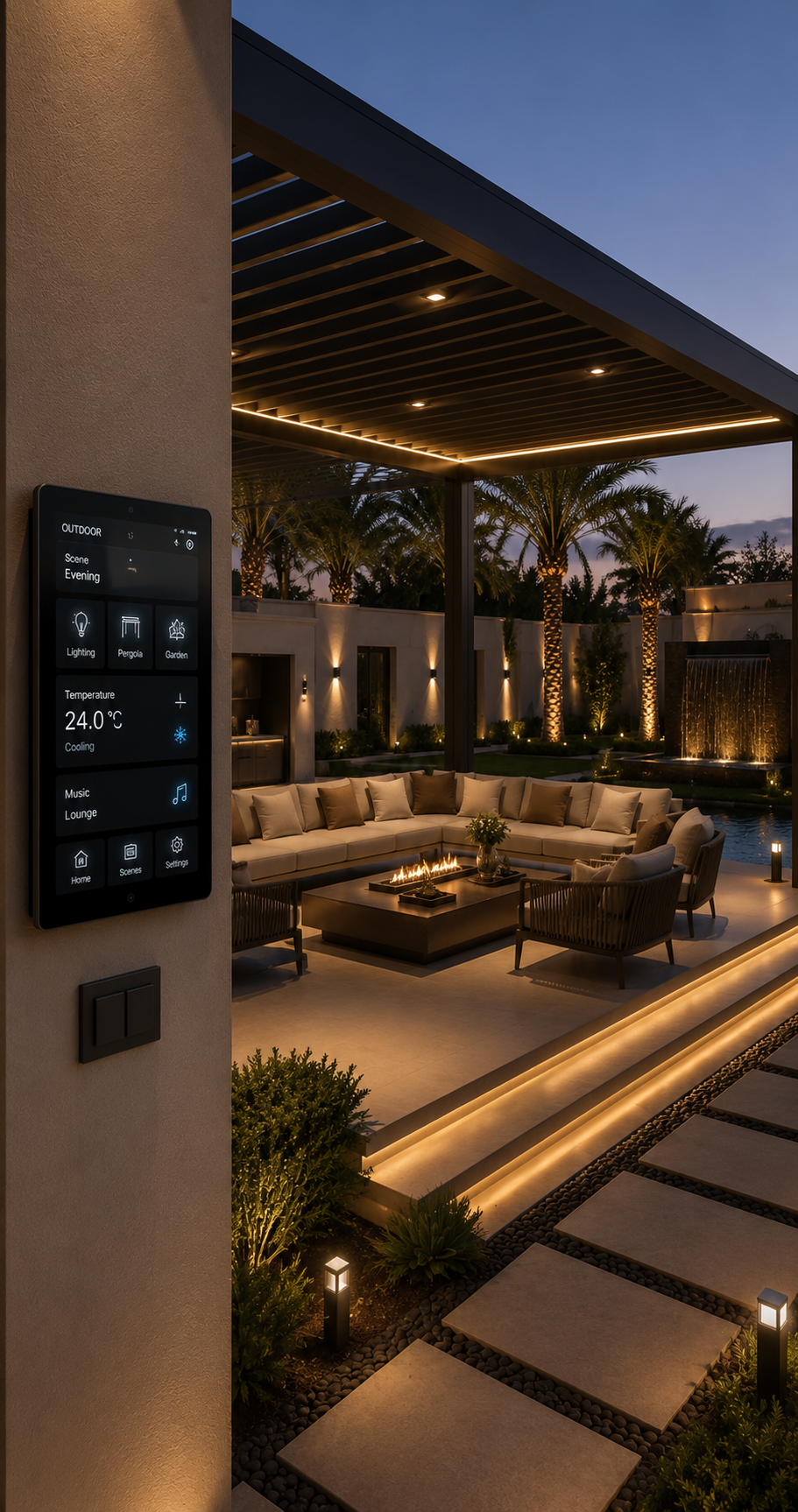
Complete Guide to KNX Lighting Control Systems
Lighting plays an important role in how a home or commercial space looks, feels, and functions. Traditional lighting systems rely on manual switches, requiring users to operate individual lights whenever they want to adjust the brightness or atmosphere. However, modern smart buildings demand more flexible, intelligent, and energy-efficient lighting solutions.
This is where KNX lighting control systems make a difference.
KNX is an internationally recognised building automation standard that allows lighting, climate control, blinds, security, and other building functions to communicate through one integrated system. With KNX lighting automation, homeowners and businesses can manage individual lights, create customised lighting scenes, schedule operations, and automate lighting based on occupancy and natural daylight.
Whether you are designing a luxury villa, upgrading an apartment, or developing a modern commercial property, KNX provides a flexible approach to intelligent lighting management.
In this guide, Ultitrend explores how KNX lighting control works, its main components, benefits, applications, installation considerations, and how it compares with conventional lighting systems.
What Is a KNX Lighting Control System?
A KNX lighting control system is an intelligent Home automation solution that uses the KNX communication standard to control and manage lighting devices throughout a building.
Unlike conventional electrical installations, where switches directly control lighting circuits, KNX uses communication between smart devices such as sensors, switches, actuators, dimmers, and controllers.
These devices exchange information over a dedicated communication network, allowing lighting functions to operate automatically or respond to user commands.
For example, a KNX lighting system can be configured to:
- Turn lights on automatically when someone enters a room.
- Adjust brightness according to available natural daylight.
- Switch off unused lights when a room becomes empty.
- Create different lighting scenes for dining, entertainment, and relaxation.
- Control multiple lighting zones from a single touch panel.
- Manage indoor and outdoor lighting according to schedules.
- Integrate lighting with blinds and other smart home functions.
One of the major advantages of KNX is its open-standard approach. Compatible certified products from different manufacturers can work together within the same installation, providing greater flexibility when designing or expanding a smart building.
How Does KNX Lighting Automation Work?
KNX lighting home automation works through communication between input devices, processing functions, and output devices.
When a user presses a smart switch, a motion sensor detects occupancy, or a programmed condition is met, a KNX device sends a command through the network. The relevant actuator receives the command and operates the connected lighting circuit.
The system can also respond to multiple conditions simultaneously.
For example, imagine entering your living room in the evening. A presence sensor detects movement, and the programmed system activates selected lights at a comfortable brightness level. If the room receives sufficient natural light, the system can reduce the artificial lighting output.
The main stages of operation include:
- Input: A switch, motion sensor, touch panel, or automated condition generates a command.
- Communication: The KNX device transmits the command through the communication network.
- Processing: The programmed control logic determines the required action.
- Output: A switching actuator, dimming actuator, or connected lighting controller operates the lights.
- Feedback: Where supported, devices communicate their status back to the control interface.
KNX installations are commonly configured using ETS (Engineering Tool Software), the official software used to design, parameterise, and commission KNX devices.
This configuration-based approach makes it possible to customise lighting behaviour according to the requirements of each property.
Main Components of a KNX Lighting Control System
A reliable KNX lighting installation depends on several interconnected components. Each component performs a specific function within the automation network.
1. KNX Power Supply
The KNX power supply provides the electrical power required by devices connected to the KNX twisted-pair bus.
It supports communication between connected devices and is an essential part of a traditional KNX TP installation.
The power supply must be selected according to the number of connected devices and the electrical requirements of the installation.
2. KNX Switches and Push Buttons
KNX switches replace or complement conventional wall switches. They allow users to control individual lights, multiple lighting circuits, dimming functions, and predefined scenes.
Depending on the device, features may include:
- Single or multiple button configurations.
- Touch-sensitive controls.
- Short-press and long-press functions.
- Brightness adjustment.
- Scene activation.
- Integration with room temperature controls.
These controls can also be customised to match the interior design of a property.
3. KNX Switching Actuators
Switching actuators receive commands from the KNX network and control connected electrical lighting circuits.
For example, a single actuator may operate multiple lighting channels, depending on its design and capacity.
They are commonly installed inside electrical distribution boards and are used for switching lights on and off.
4. KNX Dimming Actuators
Dimming actuators allow users to adjust lighting intensity rather than simply switching lights on or off.
They are useful for creating different environments in living rooms, bedrooms, restaurants, meeting rooms, and home theatres.
Depending on the lighting equipment, dimming may be achieved through compatible phase-control, 1–10 V, or DALI interfaces.
It is important to ensure that the actuator and lighting driver support the selected dimming method.
5. Motion and Presence Sensors
Motion and presence sensors detect activity within a room and can trigger automatic lighting operations.
They are particularly useful in:
- Hallways and corridors.
- Bathrooms.
- Kitchens.
- Garages.
- Staircases.
- Meeting rooms.
- Office spaces.
Presence detection can also help prevent unnecessary lighting operation in unoccupied areas.
6. KNX Touch Panels and Room Controllers
Touch panels provide a central interface for managing lighting and other connected building functions.
Users can control individual rooms, adjust brightness, select lighting scenes, and manage other automation features from one interface.
Depending on the product and system configuration, a room controller may also manage heating, cooling, shading, and other room functions.
7. KNX Gateways
Gateways connect KNX with other compatible technologies and communication protocols.
For lighting applications, a particularly useful example is a KNX-DALI gateway.
It allows the KNX system to communicate with compatible DALI lighting equipment, supporting more detailed lighting control.
Gateways can also support integration with other building management and smart home platforms, depending on the devices and available interfaces.
Key Features of KNX Lighting Control Systems
Modern KNX lighting solutions offer much more than basic automated switching. They provide advanced control features that improve comfort, convenience, and lighting management.
1. Automated Lighting Control
Automated lighting allows lights to respond to programmed schedules, sensor activity, and other configured conditions.
For example, outdoor lights can switch on at a scheduled time, while corridor lighting can activate when someone enters the area.
This reduces the need for repeated manual operation.
2. Lighting Scene Management
Lighting scenes allow multiple lighting circuits to operate together according to a predefined setting.
Instead of adjusting every light individually, users can activate a complete lighting arrangement with one command.
Common lighting scenes include:
- Welcome Scene: Activates selected entrance and living room lights when residents arrive.
- Good Morning Scene: Gradually activates bedroom and selected common-area lighting.
- Relax Scene: Reduces brightness in selected living areas to create a comfortable atmosphere.
- Dinner Scene: Combines dining area lighting with softer ambient illumination.
- Movie Scene: Dims or switches off selected lights for home theatre viewing.
- Away Scene: Turns off unnecessary lighting and can activate selected security lighting.
The exact scene behaviour can be customised according to individual preferences.
3. Dimming and Brightness Adjustment
KNX dimming solutions allow users to control the brightness of compatible lighting fixtures.
This makes it easier to create different lighting environments for different activities.
For instance, a kitchen may require brighter illumination during food preparation, while a dining area may benefit from softer lighting during meals.
4. Daylight Harvesting
Daylight harvesting is an intelligent lighting feature that uses natural daylight to reduce the need for artificial illumination.
Light sensors measure the available daylight, and the system adjusts compatible lights to maintain the desired illumination level.
This can be particularly effective in offices, large living spaces, and commercial buildings with substantial window areas.
5. Occupancy-Based Lighting
Occupancy-based automation uses motion or presence sensors to control lighting according to room usage.
When someone enters a configured area, the system can activate the lights. When the area remains unoccupied for a programmed period, it can switch them off or reduce brightness.
This is especially useful for frequently used shared spaces and areas where lights are often accidentally left on.
6. Scheduled Lighting
Scheduled lighting allows users to automate lighting according to specific times or daily routines.
Examples include:
- Activating garden lights after sunset.
- Switching off decorative lighting late at night.
- Operating outdoor security lights during selected hours.
- Adjusting lighting according to business opening times.
Schedules can be modified as household or operational requirements change.
7. Remote Lighting Control
When a compatible visualisation platform or mobile application is integrated, users can monitor and control lighting remotely.
This allows homeowners to switch off lights, check system status, and activate selected lighting scenes while away from the property.
Remote functionality depends on the system configuration, internet connectivity, and the selected control interface.
What Is the Difference Between KNX and DALI Lighting Control?
KNX and DALI are both important technologies in modern lighting automation, but they serve different purposes.
KNX is a building automation standard that can coordinate lighting with other building systems. DALI (Digital Addressable Lighting Interface) is a digital communication protocol designed specifically for lighting control.
They are not necessarily competing technologies. In fact, they are frequently used together.
| Feature | KNX | DALI |
|---|---|---|
| Primary purpose | Building automation | Digital lighting control |
| Main application | Lighting, HVAC, blinds, security and more | Lighting equipment and drivers |
| Communication | KNX TP, KNX IP, KNX RF and other supported media | DALI communication bus |
| Lighting scenes | Supported | Supported |
| Individual lighting control | Through suitable devices and interfaces | Supported by addressable DALI equipment |
| Building integration | Designed for wider building automation | Can integrate through gateways |
| Typical application | Smart homes and commercial buildings | Offices, hotels and advanced lighting installations |
Why Combine KNX and DALI?
Combining KNX and DALI provides the benefits of both technologies.
KNX can manage overall building automation, while DALI provides detailed control of compatible lighting devices.
For example, in a luxury villa, KNX can manage lighting scenes, occupancy automation, blinds, and climate control. A DALI gateway can provide individual control of compatible luminaires within selected rooms.
This combination is particularly useful in large residential properties, hotels, offices, and commercial buildings where detailed lighting management is required.
Benefits of Installing a KNX Lighting Control System
Investing in a KNX lighting control system can provide several advantages for residential and commercial properties.
1. Improved Energy Efficiency
Traditional lighting systems depend heavily on manual operation. Lights may remain switched on even when nobody is using the room.
KNX automation can reduce unnecessary lighting operation through occupancy sensors, schedules, and daylight-based adjustments.
The actual energy savings depend on the building layout, lighting design, occupancy patterns, sensor placement, and control settings.
2. Greater Comfort and Convenience
Users can manage multiple lighting circuits from wall panels, mobile applications, or programmed scenes.
Instead of manually operating several switches, a single command can activate the desired lighting arrangement.
3. Customised Lighting Experiences
Different rooms and activities require different lighting conditions.
KNX makes it possible to customise lighting according to personal preferences, room usage, and time of day.
This is particularly valuable in luxury homes where lighting contributes significantly to the overall interior experience.
4. Integration with Smart Home Automation
KNX is not limited to lighting control.
It can connect lighting with other building functions, including:
- Smart air conditioning.
- Motorised curtains and blinds.
- Security and access control.
- Heating and ventilation.
- Energy management.
- Selected entertainment and audio-visual systems.
This creates a more coordinated smart home environment.
5. Flexible and Scalable Architecture
A KNX installation can be designed to support future expansion.
For example, homeowners can initially automate lighting and later introduce additional functions such as climate control, shading, or energy management.
The expansion possibilities depend on the available infrastructure, device capacity, and project design.
6. Enhanced Property Functionality
Intelligent lighting can make a property more convenient to operate and easier to adapt to changing requirements.
In premium residential and commercial projects, integrated automation can also contribute to the overall appeal of the property.
7. Long-Term Flexibility
Because KNX is an open international standard, compatible certified products from different manufacturers can be used within a properly designed installation.
This provides flexibility when selecting devices, upgrading equipment, or expanding system functionality.
Applications of KNX Lighting Automation
KNX lighting systems are suitable for a wide range of residential and commercial environments.
KNX Lighting Control for Luxury Homes and Villas
Luxury homes often contain multiple lighting zones, decorative fixtures, outdoor areas, and specialised spaces.
A KNX installation can bring these lighting functions together through a central automation system.
Common applications include:
- Living room lighting scenes.
- Automated bedroom lighting.
- Kitchen task lighting.
- Staircase and corridor sensors.
- Garden and landscape lighting.
- Poolside illumination.
- Home theatre lighting.
- Entrance and driveway lighting.
For villas in Dubai, lighting automation can also be coordinated with motorised blinds and climate control to create a more integrated living environment.
KNX Lighting for Apartments
Apartments can benefit from automated lighting even when the available space is limited.
Smart switches, dimming functions, and room-based scenes provide convenient control without requiring multiple independent lighting systems.
Homeowners can also configure selected lights to operate automatically during daily routines.
KNX Lighting for Hotels
Hotels require consistent lighting experiences across guest rooms, reception areas, restaurants, corridors, and shared facilities.
KNX can coordinate lighting with occupancy information and other building functions.
For example, guest room lighting can be configured around welcome scenes, room occupancy, and selected operational schedules.
KNX Lighting for Offices
Office environments need lighting that supports different activities throughout the day.
KNX lighting automation can provide:
- Occupancy-based lighting.
- Daylight-responsive dimming.
- Meeting room lighting scenes.
- Scheduled lighting operations.
- Centralised lighting management.
- Integration with blinds and building management systems.
These functions can improve lighting management across multiple workspaces.
KNX Lighting for Retail and Commercial Spaces
Retail environments use lighting to highlight products, create visual interest, and improve the customer experience.
KNX allows lighting scenes and schedules to be customised for different operating hours, display areas, and commercial requirements.
KNX Lighting Control and Human-Centric Lighting
One of the growing trends in modern lighting design is human-centric lighting.
Human-centric lighting focuses on how light characteristics, including intensity, colour temperature, and timing, influence the experience of occupants.
Rather than providing the same lighting throughout the day, a well-designed system can adjust lighting conditions according to different activities and preferences.
For example:
- Brighter, cooler lighting may be selected for focused daytime activities.
- Warmer lighting may be preferred during evening relaxation.
- Tunable white lighting can provide adjustable colour temperatures.
- Predefined scenes can create different lighting conditions for working, dining, or resting.
With compatible luminaires, drivers, controllers, and suitable KNX-DALI integration, these functions can be incorporated into a coordinated lighting system.
It is important to understand that lighting automation does not automatically guarantee improved sleep or health outcomes. The lighting design, intensity, colour spectrum, exposure timing, and individual circumstances all matter.
Latest Trends in KNX Lighting Control Systems
Smart lighting technology continues to evolve as homeowners and businesses look for more intelligent, connected, and energy-conscious buildings.
Several developments are influencing the direction of KNX lighting automation.
1. Smart Lighting and Energy Management Integration
Modern buildings increasingly combine lighting control with wider energy management systems.
KNX can coordinate lighting operation with occupancy, schedules, and other building conditions.
This creates opportunities to manage energy consumption more effectively rather than treating lighting as an isolated electrical function.
2. Human-Centric and Tunable White Lighting
Adjustable colour temperature and brightness are becoming important considerations in premium residential and commercial lighting design.
Tunable white lighting allows users to select different white-light characteristics depending on the room, activity, and time of day.
3. Advanced Presence Detection
Modern presence sensors can offer more sophisticated detection capabilities than conventional motion sensors.
Depending on the device, they may detect smaller movements and help maintain lighting operation when occupants remain relatively still.
This is useful in offices, meeting rooms, bedrooms, and other spaces where traditional motion detection may not be sufficient.
4. KNX IP and Connected Building Systems
IP-based communication is increasingly important in modern smart buildings.
KNX supports IP communication and provides ways to connect KNX installations with network-based systems.
KNX IoT also extends the standard towards modern IP-based building automation technologies.
These developments create additional possibilities for connected building applications.
5. Smart Building Security
As smart buildings become more connected, cybersecurity becomes an important part of system design.
KNX Secure includes technologies such as KNX IP Secure and KNX Data Secure, which help protect supported communication against unauthorised access and manipulation.
Correct device selection, commissioning, network configuration, and secure remote access remain essential.
6. Integrated Smart Home Experiences
Homeowners increasingly expect lighting, climate, shading, security, and entertainment systems to work together.
KNX supports this integrated approach, allowing different functions to operate through coordinated scenes and automation rules.
For example, activating a movie scene can dim selected lights, close motorised blinds, and trigger compatible home theatre equipment through the integrated control platform.
KNX Lighting Control vs Traditional Lighting Systems
Understanding the differences between conventional and KNX lighting helps homeowners make informed decisions.
| Feature | Traditional Lighting | KNX Lighting Control |
|---|---|---|
| Operation | Manual switches | Manual and automated control |
| Dimming | Requires compatible dimmers | Programmable dimming through compatible devices |
| Lighting scenes | Limited or additional equipment required | Programmable scenes |
| Motion detection | Separate sensor arrangements | Integrated sensor-based automation |
| Scheduling | Usually requires additional devices | Built-in system programming capabilities |
| Centralised control | Limited | Available through suitable interfaces |
| Building integration | Separate systems | Integration with other KNX functions |
| Expansion | May require electrical modifications | Can be expanded depending on system design |
Traditional lighting can be suitable for straightforward installations. However, KNX offers greater flexibility for properties that require multiple lighting zones, advanced automation, and integrated building management.
How to Plan a KNX Lighting Control Installation
A successful KNX lighting project starts with proper planning. Choosing devices without understanding the property’s lighting requirements can lead to unnecessary costs and complicated operation.
Here are the key steps involved.
Step 1: Identify Lighting Requirements
Start by identifying the rooms, lighting circuits, and functions that need automation.
Consider:
- Number of lighting points.
- Required lighting zones.
- Dimming requirements.
- Indoor and outdoor lighting.
- Decorative and functional lighting.
- Automated lighting schedules.
- Desired lighting scenes.
Step 2: Choose Compatible Lighting Fixtures
Not every lighting fixture supports every automation or dimming method.
Check whether the selected lights and drivers support the required switching, dimming, or DALI control functions.
This is especially important when using LED lighting.
Step 3: Select KNX Devices
Choose the appropriate KNX components based on the project requirements.
These may include:
- KNX power supplies.
- Switching actuators.
- Dimming actuators.
- Smart switches.
- Presence sensors.
- Light sensors.
- Touch panels.
- KNX-DALI gateways.
Device selection should account for electrical loads, installation capacity, and future expansion.
Step 4: Design the KNX Network
Plan the communication infrastructure and device arrangement.
For new construction projects, it is generally beneficial to consider KNX wiring during the electrical design stage.
The network design should account for device quantities, bus topology, line segmentation, power requirements, and any IP integration.
Step 5: Configure the System Using ETS
ETS is used by KNX professionals to configure and commission the installation.
The process includes adding devices, assigning group addresses, configuring parameters, defining automation functions, and linking communication objects.
Step 6: Test and Commission the Installation
Before handing over the system, the installer should verify that all programmed functions operate correctly.
Testing should cover:
- Switching and dimming.
- Lighting scenes.
- Presence detection.
- Daylight control.
- Timed operations.
- Device communication.
- Integration with other systems.
- Security and remote access settings.
Step 7: Provide Documentation and User Training
The final installation should include appropriate project documentation, device information, configuration backups, and user guidance.
This makes future maintenance and system expansion easier.
Is KNX Lighting Control Worth the Investment?
KNX lighting control can be a valuable investment for homeowners and businesses that need more than conventional switching.
However, whether it is worthwhile depends on the size of the property, the number of lighting zones, the required automation features, and the overall building automation strategy.
It may be particularly beneficial for:
- Luxury villas and large residences.
- New-build smart homes.
- Premium apartments.
- Hotels and hospitality projects.
- Commercial offices.
- Buildings with complex lighting requirements.
For smaller properties with only a few lighting circuits, a conventional installation or simpler automation solution may be more cost-effective.
The best approach is to assess the property’s current and future requirements before selecting a system.
Why Choose Ultitrend for Smart Home Lighting Automation?
A well-designed lighting automation system should do more than make lights easier to operate. It should improve everyday convenience, support the property’s interior design, and work seamlessly with other smart building functions.
At Ultitrend, our focus is on creating integrated smart home experiences that combine technology, functionality, and modern living.
From intelligent lighting and automated scenes to connected climate control and motorised shading, a properly planned smart home solution can transform how you interact with your property.
Whether you are planning a luxury villa, a modern apartment, or a commercial automation project in Dubai, choosing the right technology and installation approach is essential.
Explore our Smart Home Automation Solutions in Dubai to discover how integrated automation can enhance your living or working environment.
Ready to make your property smarter? Contact Ultitrend to discuss your smart lighting and home automation requirements.
Final Thoughts
KNX lighting control systems offer a flexible way to transform traditional lighting into an intelligent, connected, and automated environment.
From customised lighting scenes and automatic brightness adjustment to occupancy detection and integration with wider smart home functions, KNX provides homeowners and businesses with greater control over their spaces.
As smart building technology continues to develop, features such as tunable white lighting, advanced presence detection, IP-based connectivity, and integrated energy management are becoming increasingly relevant.
For homeowners, architects, and developers planning modern properties, investing in a properly designed lighting automation system can improve convenience, functionality, and long-term flexibility.
With the right planning and professional installation, KNX can become an important foundation for a smarter property.
Frequently Asked Questions
1. What is a KNX lighting control system?
A KNX lighting control system is an intelligent lighting automation solution that uses the KNX standard to manage lighting devices through switches, sensors, actuators, and controllers. It supports automated switching, dimming, lighting scenes, scheduling, and integration with other building systems.
2. How does KNX lighting automation work?
KNX lighting automation works through communication between connected devices. A switch, sensor, or programmed condition sends a command over the KNX network, and the relevant actuator controls the connected lighting circuit.
3. What are the main benefits of KNX lighting control?
The main benefits include improved lighting convenience, automated switching, customised scenes, dimming, occupancy-based control, daylight harvesting, and integration with other smart building functions.
4. What is the difference between KNX and DALI?
KNX is a building automation standard that controls multiple building functions, while DALI is a digital protocol designed specifically for lighting control. Both technologies can work together through a compatible KNX-DALI gateway.
5. Can KNX control LED lights?
Yes. KNX can control compatible LED lighting through suitable switching or dimming actuators, LED drivers, and DALI interfaces. Compatibility between the lighting fixture, driver, and control method should be checked before installation.
6. Can I control KNX lighting using my smartphone?
Yes. KNX lighting can be controlled through compatible mobile applications and visualisation platforms. Remote access requires the appropriate system integration, network configuration, and connectivity.
7. Is KNX suitable for luxury villas in Dubai?
Yes. KNX is suitable for luxury villas because it can coordinate lighting, shading, climate control, security, and other smart home functions. Its flexible architecture makes it useful for properties with multiple rooms and complex automation requirements.
8. Does KNX lighting control help reduce electricity consumption?
KNX can help reduce unnecessary lighting consumption through occupancy detection, scheduling, and daylight-based dimming. Actual savings depend on how the system is designed, configured, and used.
9. Can KNX lighting systems be expanded in the future?
Yes. KNX systems can be expanded by adding compatible devices and functions, provided the existing infrastructure, device capacity, and system design support the additional requirements.
10. Is KNX better than traditional lighting control?
KNX provides more advanced automation, integration, and customisation than conventional lighting switches. However, traditional lighting may be more economical for smaller or simpler installations. The right option depends on the property’s requirements and budget.
Subscribe to our
newsletter.
Get valuable strategy, culture, and brand insights straight to your inbox.
By signing up to receive emails from Motto, you agree to our Privacy Policy. We treat your info responsibly. Unsubscribe anytime.