

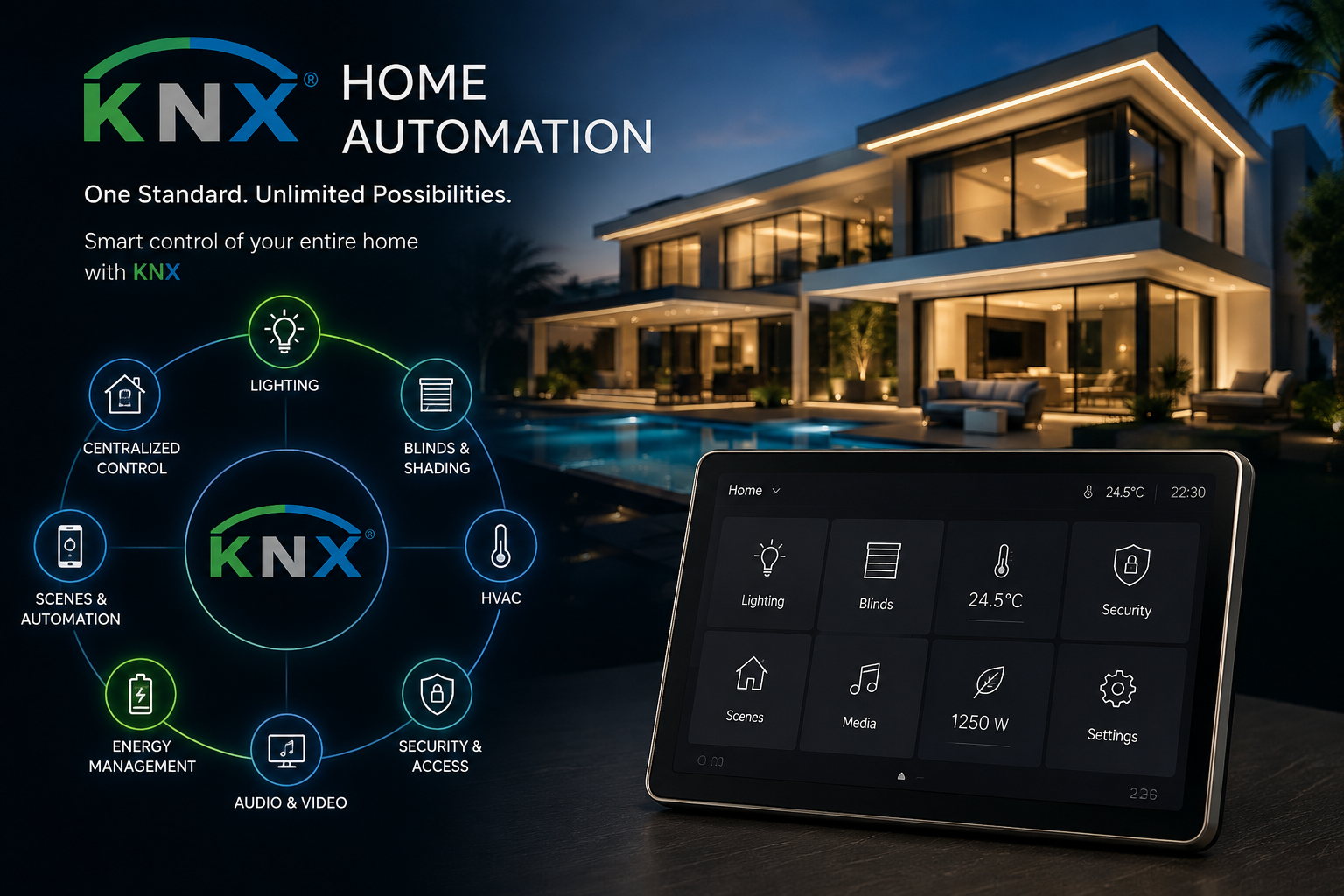
10 Innovative Smart Home Automation Ideas for Modern Living
Imagine arriving home after a long day and having the entrance lights turn on, the curtains adjust, and your preferred living-room settings activate with a single command. Or leaving for work and having selected lights switch off, the air conditioning adjust, and your security system enter its configured away mode automatically.
This is what makes smart home automation useful. It connects compatible devices and systems so everyday tasks require fewer manual adjustments.
The best smart home automation ideas are not necessarily the most complicated ones. They are the features that fit your routine, solve practical problems, and make your home easier to manage.
Whether you live in an apartment, a family home, or a luxury villa, these ten ideas can help you plan a smarter, more convenient living space.
Quick Answer: What Are the Best Smart Home Automation Ideas?
The most practical smart home automation ideas include:
- Smart lighting with personalised scenes.
- Automated air conditioning and climate control.
- Motorised curtains and blinds.
- Smart door locks and access control.
- Integrated security cameras and sensors.
- One-touch control for entertainment systems.
- Energy-conscious lighting and appliance control.
- Automated garden and outdoor lighting.
- Voice control for compatible devices.
- Whole-home automation with centralised control.
1. Smart Lighting with Personalised Scenes
Smart lighting is one of the easiest ways to make a home feel more responsive. Instead of controlling each light separately, you can group compatible fixtures and adjust them using a wall keypad, app, or voice assistant.
For example, create different scenes for different activities:
- Welcome: Switch on selected entrance and living-room lights.
- Relax: Dim the main lights and activate softer accent lighting.
- Movie time: Turn off distracting lights and leave subtle background illumination.
- Away: Switch off selected lights when everyone leaves.
For a luxury villa, lighting automation can coordinate recessed lights, cove lighting, decorative fixtures, and outdoor lighting. The key is to design the lighting groups before programming the scenes.
Practical tip: Keep ordinary wall controls available. Smart lighting should make everyday actions easier, not force everyone to use a phone for a simple task.
2. Intelligent Air Conditioning and Climate Control
Climate control is particularly relevant in homes where air conditioning is used for much of the year. A smart thermostat or compatible automation system can help you manage temperature settings according to your schedule and preferences.
Useful automation ideas include:
- Adjusting the temperature before you usually arrive home.
- Using different settings for bedrooms and living areas.
- Applying an away setting when the property is unoccupied.
- Coordinating air conditioning with occupancy sensors where supported.
- Managing compatible thermostats through a central control interface.
In larger homes, consider zoning so different areas can be controlled according to their actual use. This depends on the air-conditioning equipment and how the system has been designed.
What to check: Not every AC unit supports the same controls. Confirm compatibility with the thermostat, controller, or automation interface before purchasing equipment. Automation can improve control, but energy savings depend on the property, settings, equipment, and occupant behaviour.
3. Automated Curtains and Blinds
Motorised curtains and blinds can open or close at a scheduled time, through a button press, or as part of a wider home automation scene.
Consider these possibilities:
- Open bedroom curtains at a chosen time.
- Close selected blinds during periods of strong sunlight.
- Lower curtains automatically as part of an evening scene.
- Control multiple windows together in an open-plan living area.
- Include curtains in a single command that also adjusts lighting.
For homes with large windows, automated shading can help manage daylight and glare. Its effect on indoor temperature depends on the glazing, curtain material, exposure, and how the shading is used.
Plan motorised curtains early in a renovation or new build. Curtain tracks, power supplies, recesses, and access for maintenance should be considered before ceilings are finished.
4. Smart Door Locks and Access Control
Smart door locks can offer convenient ways to manage entry without relying solely on traditional keys. Depending on the model, access may be managed through a keypad, authorised smartphone, access card, or another supported method.
Useful features may include temporary access for visitors, notifications about lock activity, and remote locking where supported.
For a household with regular visitors or service staff, individual access permissions can be more practical than sharing one key or entry code with everyone.
Before choosing a smart lock, check:
- Compatibility with your existing door and locking mechanism.
- Available access methods and backup entry options.
- What happens if the battery runs low or connectivity fails.
- Whether remote access requires a hub or internet connection.
- How access permissions can be removed when they are no longer needed.
Smart locks improve convenience, but they should be part of a wider security plan. Choose reputable equipment, use strong account security, and keep firmware updated.
5. Integrated Home Security
A home security setup becomes more useful when compatible devices can work together. Rather than treating each camera, door sensor, and alarm as a separate product, consider how the system should respond to specific events.
For example, you could configure an automation to:
- Send a notification when an entry sensor detects unexpected activity.
- Turn on selected entrance lights when movement is detected.
- Notify an authorised user when a compatible doorbell is pressed.
- Provide a central view of supported cameras and sensors.
- Apply an away mode that activates selected security features.
These functions depend on the products, permissions, and integration options available. A motion sensor triggering a light, for instance, is different from a system identifying a genuine security threat.
Privacy matters: Check where camera recordings are stored, who can access them, how long they are retained, and whether remote viewing is protected by strong authentication. Position cameras thoughtfully to respect neighbours’ privacy.
6. One-Touch Entertainment Control
Entertainment systems often involve several devices: a television or projector, speakers, streaming equipment, and lighting. Compatible smart home controls can bring common actions together.
Imagine pressing a Movie button that switches on the television, selects the appropriate input, adjusts compatible audio equipment, and dims the living-room lights.
Other useful scenes include:
- Music: Start supported audio equipment in selected rooms.
- Gaming: Switch on the display and compatible accessories.
- Family evening: Activate entertainment equipment and set comfortable lighting.
- Party: Play music in selected zones while adjusting decorative lights.
The exact level of integration depends on the equipment and its available control interfaces. Before buying components, check whether they can be controlled by the proposed system and whether the required functions are supported.
For multi-room audio, decide whether different rooms should play the same content or operate independently. That choice can influence the equipment and network design.
7. Energy-Conscious Home Automation
Smart home Automation Solution can help you see and manage how selected devices are used. The goal is to avoid unnecessary operation without compromising comfort or essential functions.
Ideas include:
- Switching off selected lights when a room is unoccupied.
- Scheduling suitable devices around your normal routine.
- Adjusting compatible climate controls when the property is empty.
- Monitoring electricity use with supported energy-monitoring equipment.
- Automating outdoor lights according to a schedule or available daylight.
For example, a study light could switch off after the room has been unoccupied for a configured period. A climate-control system could apply an away setting when the household leaves.
Use occupancy sensors carefully. A sensor may not detect someone sitting still, and automatically switching off lights can be frustrating if the timeout is too short.
Smart plugs and energy monitors also have electrical load limits. High-power appliances should only be controlled using equipment rated for the intended application. Avoid automating safety-critical appliances without appropriate manufacturer support.
8. Smart Garden and Outdoor Lighting
Outdoor automation can make a garden, terrace, or poolside area easier to manage. Instead of switching every exterior light manually, create a schedule or scene that suits how the outdoor space is used.
Ideas include:
- Switching on pathway lighting after sunset.
- Activating selected terrace lights before an evening gathering.
- Highlighting garden features with separately controlled circuits.
- Turning off decorative lighting at a chosen time.
- Linking compatible outdoor lighting to a welcome scene.
In Dubai and other hot climates, outdoor equipment must be suitable for its location and exposure. Ask your installer to confirm the appropriate protection ratings, wiring methods, and installation requirements.
Avoid excessive brightness or poorly directed fixtures that cause glare into the house or neighbouring properties. A well-planned outdoor system should make pathways and useful areas visible while preserving the intended atmosphere.
9. Voice Control and Hands-Free Commands
Voice assistants can provide another way to operate compatible lights, curtains, entertainment devices, and other equipment. They are particularly useful when your hands are occupied or you want to trigger a familiar scene without finding a switch.
You might say:
- “Turn off the living room lights.”
- “Set the dining scene.”
- “Close the bedroom curtains.”
- “Play music in the kitchen.”
The commands available depend on the voice platform, device compatibility, language support, and configuration.
Voice control should be an additional option rather than the only way to use essential features. Wall switches, keypads, and manual overrides remain valuable if a microphone is unavailable, the network fails, or a guest does not know the commands.
Review privacy settings before enabling voice services, especially if devices are installed in private rooms. Understand what audio data the service may process and how its account settings work.
10. Whole-Home Automation with Centralised Control
If you want lighting, climate control, curtains, entertainment, and selected security functions to work together, consider a whole-home automation system.
Rather than managing separate applications for every device, a suitable integrated system can provide centralised controls for supported equipment. In larger villas, this can simplify daily routines and make the experience more consistent across rooms.
Depending on the design, a system may use technologies such as KNX, compatible wireless devices, or lighting protocols such as DALI integrated through suitable interfaces.
Before selecting a platform, ask:
- Which devices and functions can it control?
- What continues to work if internet access is interrupted?
- Can the system be expanded later?
- Who will configure and maintain the installation?
- Can scenes and user permissions be changed easily?
- Are replacement parts and technical support available?
A centralised system requires careful planning. The best solution is not necessarily the one with the most features; it is the one that meets the household’s requirements and remains practical to operate.
Learn more about smart home automation solutions and how integrated systems can support a connected home.
How to Choose the Right Smart Home Features
Before investing in home automation, make a list of the daily tasks you would most like to simplify. Rank them by usefulness rather than choosing features simply because they are available.
| Your priority | Features to consider |
|---|---|
| Everyday convenience | Lighting scenes, smart switches, voice control |
| Climate management | Compatible smart thermostats and zoning |
| Privacy and access | Smart locks, access permissions, door sensors |
| Entertainment | One-touch media control and multi-room audio |
| Outdoor living | Automated garden and pathway lighting |
| Long-term flexibility | Expandable whole-home control system |
If you are building or renovating, involve the automation specialist, electrician, and interior designer early. This gives the team time to coordinate wiring, network coverage, control locations, curtain tracks, and equipment access.
If you already live in the property, begin with a compatibility assessment. A phased upgrade may be more practical than replacing every device at once.
Conclusion
The best smart home automation ideas are the ones that make everyday living simpler. Smart lighting can create useful scenes, climate control can follow your schedule, automated curtains can manage daylight, and integrated entertainment can reduce the number of steps needed to enjoy your home.
You do not have to automate everything immediately. Start with the functions that matter most, check compatibility before buying devices, and plan for future needs if you are building or renovating.
For a more connected living experience, Ultitrent can help you explore smart home automation options suited to your property and requirements. Discuss your priorities, the systems you want to connect, and the level of control that makes sense for your home.
Frequently Asked Questions
1. What are the most useful smart home automation ideas for beginners?
Smart lighting, scheduled climate control, and a few compatible smart switches are common starting points. Choose features that solve a clear problem, then expand once you understand what works for your household.
2. Is smart home automation suitable for apartments as well as villas?
Yes. Apartments can benefit from smart lighting, curtains, climate controls, and selected security devices. The right options depend on the existing wiring, building rules, device compatibility, and whether permanent installation is allowed.
3. Can different smart home brands work together?
Sometimes. Compatibility depends on the communication protocols, control platform, and specific device models. Check the supported integrations before purchasing products from different brands.
4. Does smart home automation work without the internet?
Some systems can continue to operate local functions, such as configured lighting controls, without an internet connection. Remote access, cloud services, and certain voice features may require connectivity. Confirm the behaviour of your chosen system with the installer.
5. Is smart home automation expensive?
Costs vary according to the number of devices, wiring requirements, system architecture, integration work, and level of customisation. A simple retrofit can have a very different scope from a fully integrated luxury villa installation. Request an itemised proposal based on your property and priorities.
6. Can I add smart home automation to an existing property?
Often, yes. Wireless devices and compatible smart switches may allow upgrades with limited changes, while larger integrations may require additional wiring or equipment. A site assessment helps identify the realistic options.
7. Is whole-home automation better than using separate smart devices?
It depends on your needs. Separate devices can be suitable for a small setup, while a centralised system may offer more consistent control across multiple functions. Consider reliability, compatibility, ease of use, maintenance, and future expansion.
8. How should I protect a smart home from cyber risks?
Use strong, unique passwords, enable multifactor authentication where available, update device firmware, secure your Wi-Fi network, and review access permissions. Buy equipment from reputable manufacturers and understand how connected devices handle data.
Subscribe to our
newsletter.
Get valuable strategy, culture, and brand insights straight to your inbox.
By signing up to receive emails from Motto, you agree to our Privacy Policy. We treat your info responsibly. Unsubscribe anytime.